The iPad is a very useful gadget in the cockpit. This guide to iPad
hardware and software is for pilots who know more about flying than
computers and are looking to add an iPad to their general aviation toolkit.
Most of these notes apply to the iPhone too. I will update this blog post
periodically as things change. You may also find ForeFlight’s
iPad Proficiency for Pilots useful.
What does the iPad do? The iPad is a computer with a revolutionary
new user interface. It’s ideally situated for the cockpit: easy to use
one handed, even balanced on your knee. There’s a variety of excellent
aviation software for the iPad. It’s also a nice companion for Internet
while travelling and for entertaining passengers.
Electronic Flight Bag plus more. The key aviation software I use is ForeFlight. It contains most
everything you need for flight planning in the US: VFR and IFR
charts, NACO terminal procedures, flight planning, official weather
briefings via DUATS, supplementary weather (radar, METARs, etc), flight
plan filing, A/FD, even fuel prices at airports. See
their demo video for more.
ForeFlight is very complete: I planned
and flew an 8 day trip from California to Florida and back entirely
using ForeFlight. ForeFlight costs $75 / year for full
chart updates for the entire US. An extra $75 for a pro subscription
gets you georeferenced approach plates so you can see your actual
position via GPS. There are alternatives to ForeFlight with some
different strengths: WingX is
the best known.
Other aviation software. Pilot
Wizz and E6BPro are both good
calculator/converter apps; Pilot Wizz has a great weight and balance
screen. Mr. Sun
is a handy little sunset calculator. SkyCharts is a simple alternative for
chart display with good enroute display. Jeppesen
Mobile TC lets you use Jepp charts, but the app is very limited.
OffMaps v1 is a good way to cache street
maps for viewing while airborne.
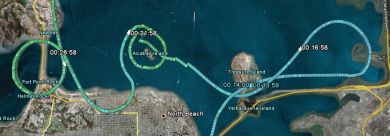
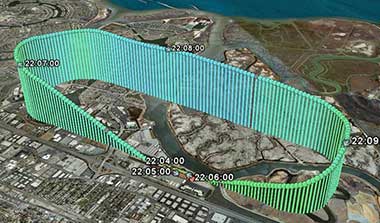
MotionX is a nice app for recording
GPS tracks to look at your flight later on Google Maps. X-Plane is a
fun simulator. I also use a bunch of web pages regularly when planning
flights: Fly2Lunch, 100LL, etc.
iPad hardware. You have two choices when buying an iPad: how much
storage and whether to get 3G. ForeFlight itself takes 6GB for
full charts. Double that for updates and a 16GB model is barely
sufficient. I suggest buying at least 32GB, more if you want to bring
video and music along. 3G is a toss-up. If you get the WiFi only model
then it will have no builtin GPS, but see below about external
GPS. I like the 3G because it gives you the chance of having Internet
access in the middle of nowhere if there’s no WiFi.
Verizon vs. AT&T is a push,
but the AT&T model will work better in Europe. (The original iPad 1
isn’t missing anything essential, although the extra CPU speed on the
iPad 2 is nice. If money is tight, consider a used iPad 1).
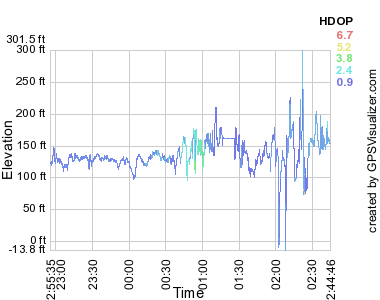
GPS. The iPad with 3G has an assisted GPS receiver built in. In my
experience it’s not useful in the air; some pilots say it works for them
but it doesn’t work reliably for me. For about $100 you can buy an
external GPS. I have a Bad
Elf GPS (Amazon)
and its performance is excellent, even when the antenna is sitting in
the back seat. I’ve also heard good things about the GNS 5870 (Amazon)
and XGPS150
(Amazon) as wireless options.
Note that GPS is not necessary to get a lot of
value out of the iPad. But if you want a backup GPS in the cockpit or
you want to display your position on charts for situational awareness,
get an external GPS.
Things to avoid. If the iPad overheats it shuts down, a potential
crisis if you’re flying an approach. Keeping it out of the sun seems to
be sufficient although it’s worth noting Apple says the iPad only
operates to 10,000′. The iPad2 has magnets in the tablet itself and
in the case that can swing your magnetic compass from at least 10″ away,
possibly including when sitting on your glareshield.
Do not use the iPad as a substitute for an
IFR GPS or for any other required equipment. It is neither accurate nor
reliable enough to trust your life to it. That goes double for the apps
that emulate an attitude indicator. And of course don’t get distracted:
if something goes wrong put the toy down and fly the plane.
Accessories. People seem to like this clip for knee
mounting, also this aluminum
case. The iPad battery is rated for 10 hours, so charging in flight
may not be necessary. Cigarette lighter chargers work well.
Remember that planes are often
28V and the iPad wants to draw 10W. The iPad fits very nicely inside the best flight bag in the
world.
Alternates: iPhones, Android. For most purposes the iPhone works
identically to the iPad; ForeFlight is great on the iPhone too. The big
difference is screen size: the phone is too small for plates and working
with charts takes a lot of squinting. For alternate tablets I’m hopeful
that Android will catch on and
offer some competition for Apple, but so far the iPad stands alone.
Android requires totally different software; ForeFlight does not have an
Android version, but WingX does.
Conclusion. The iPad is great for pilots and can replace most of
the flight planning you currently do with paper charts and computers.
There’s a lot of options: my bottom line recommendation is a 32GB
+ 3G iPad ($730) with ForeFlight ($75/year). If you
want a GPS backup, spend $100 on a Bad Elf GPS.
Last update October 11 2011



 I just launched an update on my Wind History project at












 One of the pleasures of flying private airplanes is the amazing service you get at the airport.